Summary
- Key criteria when choosing a photography portfolio theme
- A handpicked mix of themes — some very minimal, others more customizable, and a few neutral classics that can fit many styles.
- All selected with photographers in mind, focusing on themes that let images take the lead without unnecessary distractions.
Disclaimer
This post features my own theme — Minimalio. I built it specifically for creative portfolios, so naturally I’m including it here.
Minimalism is the way
Every photo already tells its own story — the website shouldn’t try to add another one on top. Just like you wouldn’t put a serious black-and-white print inside a flowery frame with ribbons, your online portfolio shouldn’t surround your images with distractions.
As someone with a background in visual arts, I find it painful to see strong photographs buried under flashy sliders or effects. A theme should never compete with the work it’s meant to showcase. That’s why I care about minimalism — it keeps the frame invisible and lets the images do the talking.
For photographers, this isn’t about stripping things down for the sake of it. It’s about respect for the image — giving it space to speak without interruption.
Why I don’t use Themeforest
Are the themes themselves bad? Not necessarily — some are awful, but others are actually well designed. The real issue is the business model. Developers often release a theme, collect sales, and then never update it. Within a year or two it’s likely broken, and in my opinion, that’s just not fair. Read article I wrote on why I will never use Themeforest.
Structure matters
What matters most is the structure: how the theme allows you to shape and show your photos. Because they are the heart of your portfolio. A good theme should give you flexibility, so you can adapt the site around your work. At the very least, a photography portfolio theme should let you decide things like:
- How many images appear in a row, and what the spacing is — generous whitespace or tight, almost fullscreen.
- The direction of navigation — horizontal works well for small portfolios with just a few categories, while vertical menus are better for larger bodies of work with many sections.
- How the menu behaves — always visible or collapsed into what developers like to call a “hamburger,” and whether it overlays the content or sits neatly beside it.
Only once the structure feels right should you worry about extras like galleries. Those can be handled with a plugin. I’ve covered the best minimalist options here. Minimalio goes one step further: it already includes a gallery block, so you don’t need to add anything else.
1. Minimalio Theme
http://minimalio-test.mikulaskarpeta.net/domains/minimalio-test.mikulaskarpeta.net/

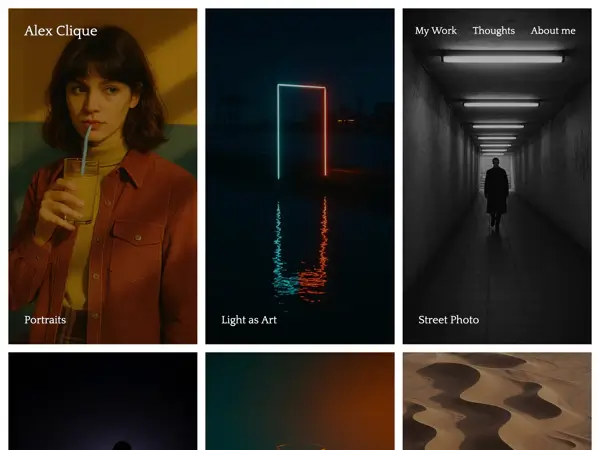
Minimalio started as my answer to portfolio themes that looked simple at first but always added layers of clutter. I wanted a theme that stayed truly minimal: clean, fast, and focused entirely on the work.
The free version gives you the essentials — a lightweight portfolio theme with a clear structure. The Premium plugin adds more tools, including a built-in gallery you can arrange with simple drag-and-drop. That way, Minimalio works as a full solution for photographers who want to focus on their work instead of troubleshooting plugins.
Advantages:
- Designed specifically for minimalist portfolios.
- Clean structure, fast loading, easy to set up.
- Premium plugin includes a drag-and-drop gallery for a complete out-of-the-box solution.
Disadvantages:
- The stripped-down design means your photos have to carry the whole aesthetic.
- No WooCommerce support (it’s built mainly for portfolios).
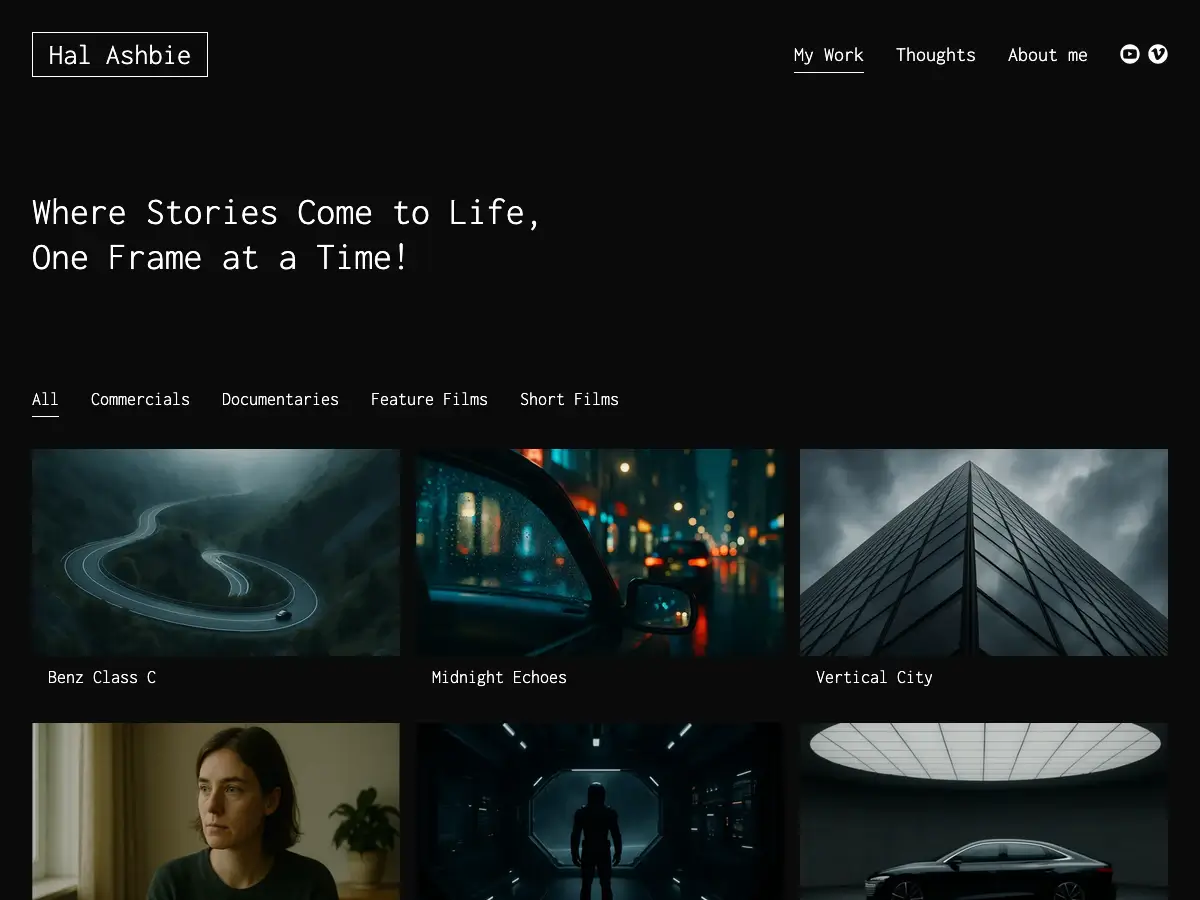
Examples of Photography Portfolios with Minimalio:


2. Promoter
https://wordpress.org/themes/promoter/

Promoter is a recent theme from Automattic, the company behind WordPress.com. It’s meant as a simple portfolio starter — clean structure, block patterns, and a few style variations. Out of the box it works well for creatives who want something reliable without too many options to worry about.
Advantages:
- Developed by Automattic, so updates and long-term support are very likely.
- Straightforward design with portfolio support built in.
- Includes a couple of style variations if you want to switch the look quickly.
Disadvantages:
- Very basic in terms of customization — you mostly get the default layout.
- Doesn’t add much beyond the essentials, so it can feel limited for larger or more complex portfolios.
- Still quite new, so there aren’t many real-world photography examples yet.
3. Dawson
https://wordpress.org/themes/dawson/

Dawson is another Automattic theme, this time designed specifically with photography portfolios in mind. It uses a clean two-column layout and comes with five style variations, so you can pick a look that suits your work. It’s lightweight, block-based, and offers the usual portfolio features you’d expect.
Advantages:
- Created by Automattic, so the code quality and updates should be reliable.
- Two-column design works well for photo galleries and portfolios.
- Five style variations provide quick ways to change the overall mood.
Disadvantages:
- Customization is limited beyond the provided layouts and styles.
- While functional, it doesn’t add much beyond a standard portfolio structure.
- Still relatively new, with only a small number of real-world examples available.
4. Bhuta
https://wpkoi.com/bhuta-wpkoi-wordpress-theme/

Bhuta is a black-and-white multipurpose theme from WPKoi. It’s a child theme of Martanda and, like most WPKoi themes, is built to integrate with Elementor, WooCommerce, and Contact Form 7. The idea is flexibility: you can use it for a portfolio, business site, blog, or even an online shop. The free version gives you a working base, while the Premium upgrade unlocks full demo imports and additional Elementor elements.
Advantages:
- Fully responsive and works with Elementor and WooCommerce.
- Customizer options for colors, typography, headers, and layouts.
- Free to start, with a Premium upgrade for more features and ready-made demos.
Disadvantages:
- With only ~70 active installs, it’s not widely adopted.
- Strong reliance on Elementor makes it heavier and more complex than a simple portfolio theme.
- As a multipurpose theme, it feels less tailored for photography specifically.
5. Portfolio WP
https://wordpress.org/themes/portfolio-wp/

Portfolio WP is a block theme aimed directly at artists, photographers, and other creatives. It makes full use of the WordPress site editor, so every part of the layout can be adjusted. The theme includes custom block patterns for galleries, case studies, and portfolio layouts, which makes it a straightforward option if you want to start quickly with a professional look.
Advantages:
- Built specifically for creatives, with ready-made patterns for portfolios and galleries.
- Full site editing support for complete control over layout.
- Actively maintained and recently updated.
Disadvantages:
- The neutral default design may require extra styling to stand out.
- Doesn’t provide much beyond the standard block theme toolkit.
- It’s a solid starting point, but not as opinionated or polished as some premium solutions.
6. Clearwork
https://wordpress.org/themes/clearwork/

Clearwork is a flexible portfolio theme by Alexander Agnarson. Even if you divide the site into many sections, the design still holds together — it doesn’t collapse under complexity, which makes it a solid option for creatives who want to present a larger body of work.
Advantages:
- Handles multiple sections and layouts without breaking the overall look.
- Fully responsive and block-ready.
- Includes options for colors, sidebars, and layout width.
Disadvantages:
- The theme hasn’t been updated for over a year, so long-term maintenance is uncertain.
- Customization is fine, but the design itself feels dated compared to newer block themes.
7. Brute
https://wordpress.org/themes/brute/

Brute is an Automattic theme inspired by Brutalist architecture. Just like the buildings that reveal their raw concrete and structure, this theme is built to be plain, honest, and utilitarian. There are no decorative extras — only the core elements laid bare. That approach makes it stand out from the smooth, polished style of most portfolio themes. It’s a bold choice that can work well for architects, studios, or creatives who want their website to feel as direct as the work itself.
Advantages:
- Unique brutalist style that feels very different from standard minimalist designs.
- Lightweight block theme with a straightforward one-column layout.
- Backed by Automattic, so updates and maintenance are reliable.
Disadvantages:
- The brutalist aesthetic won’t fit everyone — it can feel too harsh for some photography portfolios.
- The single-column layout may feel restrictive if you want more complex structures.
- Still relatively little adoption and no community feedback yet.
8. Expositio
https://wpshower.com/theme/expositio

Expositio is a free portfolio theme by Wpshower, aimed at photographers and designers. The layout is very traditional: a sidebar menu on the left and a clean grid for projects on the right. It’s simple and universal enough to work for many types of portfolios without much setup.
Advantages:
- Completely free to use.
- Straightforward, universal design that doesn’t get in the way.
- Minimal navigation keeps the focus on the work.
Disadvantages:
- Feels almost too classic compared to modern portfolio themes.
- Limited flexibility; you mostly stick to the given layout.
- Rarely updated, so long-term support is uncertain.
Which to choose?
The right theme really depends on how you work.
If you want a theme that is focused purely on portfolios, comes with support, and saves you time setting up galleries, then Minimalio is the safest bet. It’s simple by design and with the Premium plugin you get a full solution out of the box.
If you prefer to experiment and don’t mind handling things yourself, themes like Promoter or Dawson from Automattic are stable choices — though they stay on the basic side.
If you want a bolder design, you can try something like Brute with its brutalist aesthetic. It’s striking and very different from the usual minimalist look, but it won’t fit every type of portfolio. The key is to match the theme with your work — a design that complements your photographs will always feel stronger than one that competes with them.
Older themes like Expositio or Clearwork can still work if you like their classic layouts, but keep in mind that updates are rare and flexibility is limited.
Good luck with your portfolio